
Routine followup of patients after THR, TKR and ACL-R
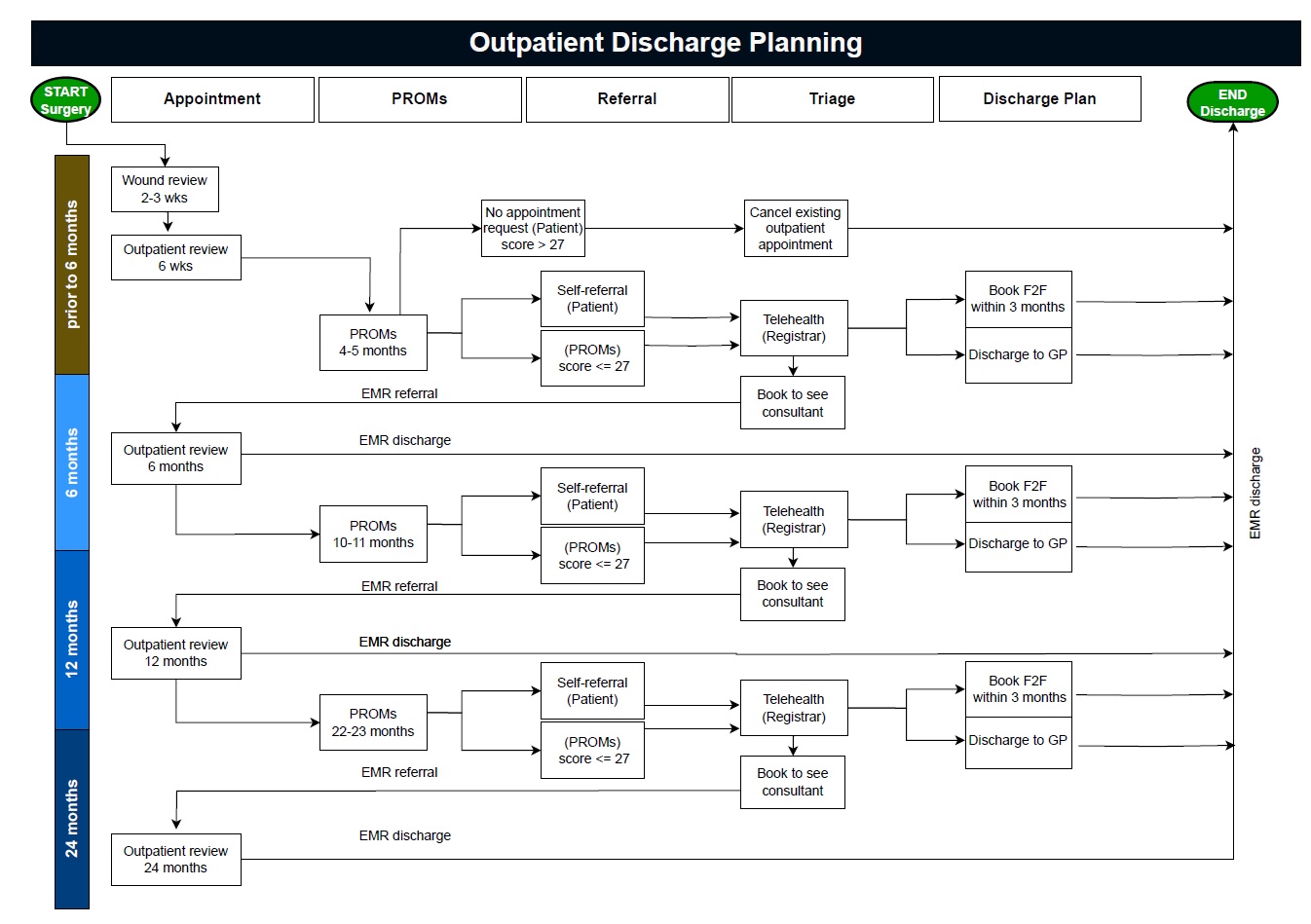
- Preop questionnaires are collected in Clinic D – managed by Eugenie Ng
- Post-surgical questionnaires are collected at 6 months, 1 year, 2 years, 5 years, 10 years – managed by the research team (Eugenie, Minh and Natali).
- REDCap (research data collection platform) is used to collect these via email or SMS link.
- Process:
- All patients who sign a surgical consent (RFA, the blue form) are sent to Clinic D.
- Patients will complete pre-op surveys here (on their own phone or on paper), and may be recruited to studies and offered further information about their procedure.
- Email and mobile contact details are confirmed.
- After the patient’s operation is completed and entered in Sunray, the team set up automated email invitations via REDCap. These emails contain links to complete the relevant PROM.
- Patients complete surveys (Oxford Hip Score, Oxford Knee Score) and tell us if they have issues related to the operated joint.
- Patient’s responses determine if they will get telehealth from JMOs and/or a face-to-face appointment with the consultant (see below matrix).
- JMOs submit new EMR internal referrals to ASC for bookings, and authorise discharge.
- Adult Specialist Clinic (ASC) will then action appointment booking and discharge requests as per usual Referral Management Centre process.
- When actioning an outcome, ensure the ASC outcome is documented
- When discharging a patient, note if they had an appoint which was cancelled (“Cancelled not rebook-Referral closed”) or that they did not have an existing appointment (“Discharged from clinic-Referral closed”)
- When a new appointment is made (“Booked to clinic”)
- ASC will notify patients regarding new appointment or discharge via SMS letter.
- When actioning an outcome, ensure the ASC outcome is documented
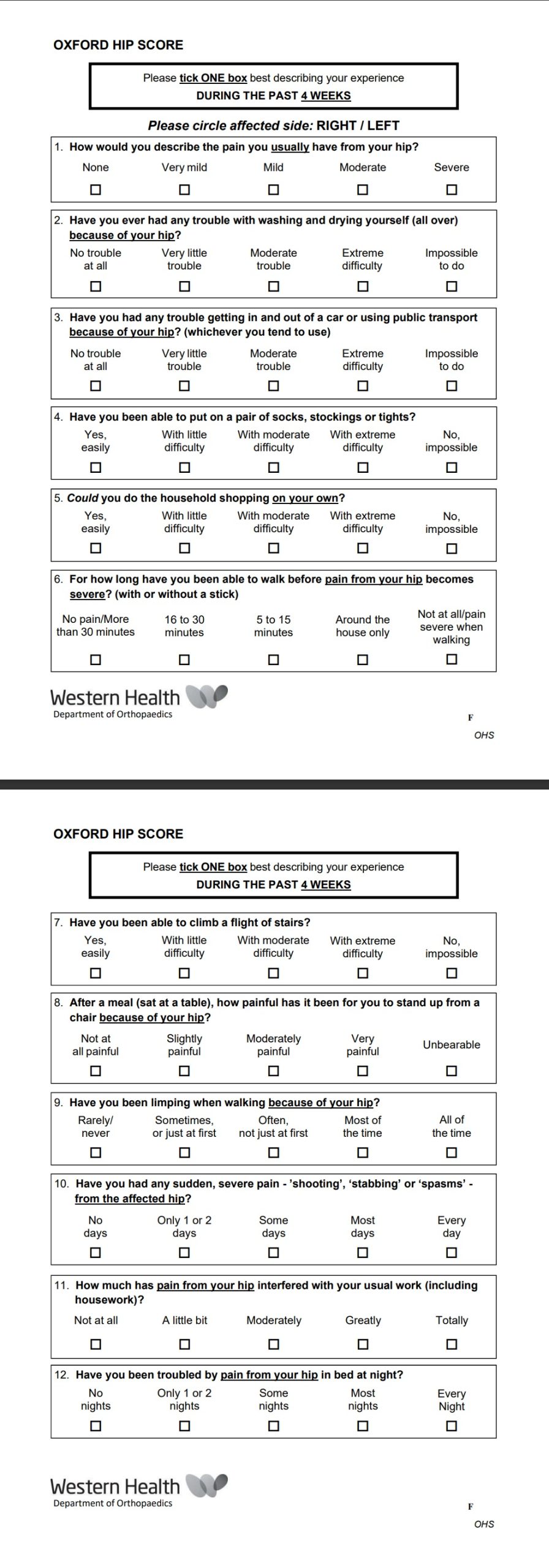
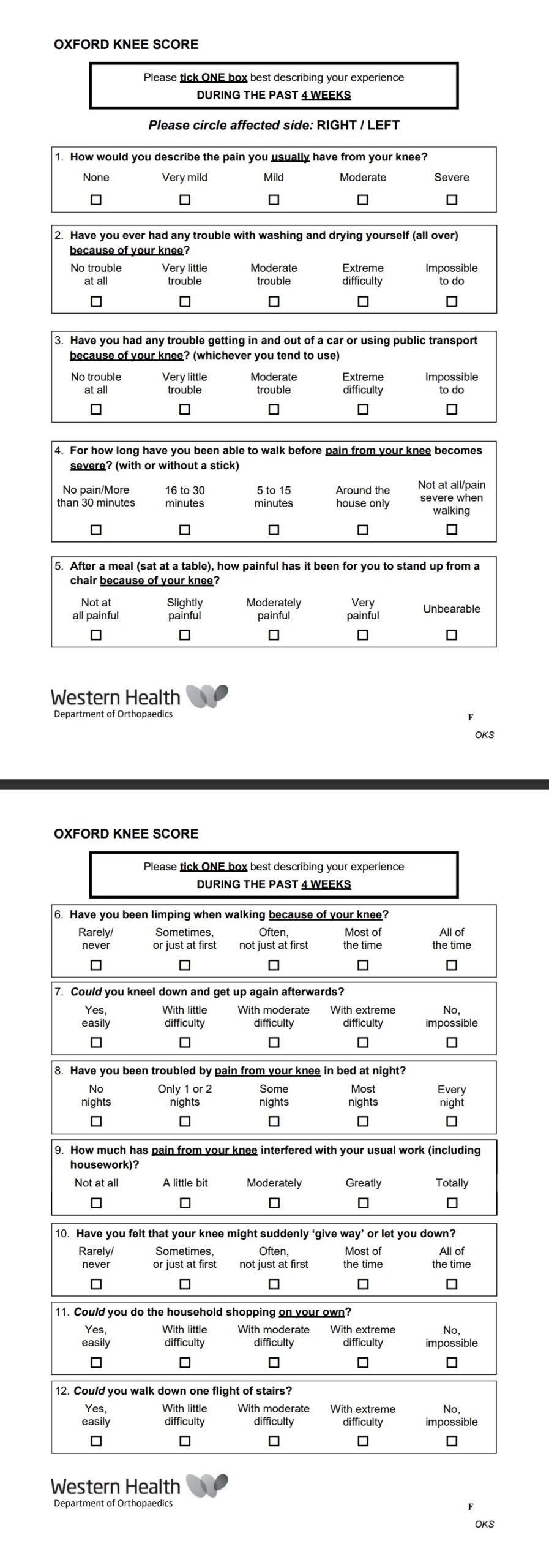
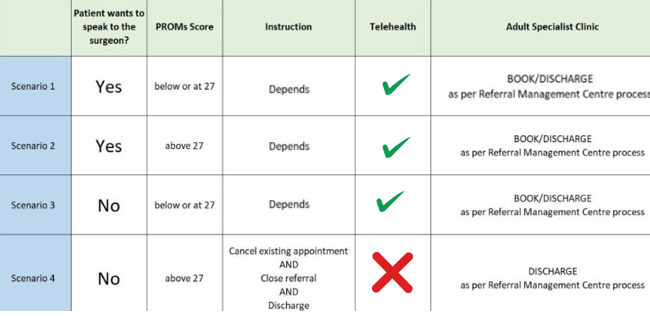
- Registrars will call patients who have scored 27 or below on their PROMS and/or want to speak to a doctor.
- Login to Sunray using routine username and password (ortho, orthoreg)
- Click on “Connected Care” tab
- The dashboard you will encounter is seen below including patient demographics, date of surgery, consultant, mobile number, date that PROMS response occurred.
- Registrar will call the patient who meets the above criteria and ultimately decide if:
- Keep current appointment (has appointment already booked and wants to keep it)
- New appointment to be booked (does not have an appointment but patient would like one, admin team will action this and book an appointment within 3 months, next available)
- No appointment needed (does not have an appointment and does not want one)
- To be discharged (has appointment already booked but does not want to keep it, admin team will action this and cancel the appointment)
- Registrar will then
- Fill in details in the right-hand columns on the dashboard – “Dr comments” only if patient does not answer (e.g. “No answer 4/3/24) or needing to communicate something specific to admin team (e.g. “Patient is overseas until August, please postpone current appt until September”)
- write a note in the patient’s EMR file
- request follow-up if appropriate.
- Administration team will action clinical decisions.
- Airish Ong and Dianne Mutimer (via NUM Vikki) are the go-to ASC nurses
- If a patient is called on 3 separate occasions and does not pick-up, they should continue their current management (i.e. “Keep current appointment” or “No appointment needed”), write a EMR note highlighting this including the dates on which the calls were made.
Contributing authors
- Ben McElwee
- Eugenie Ng
- Libby Spiers
Last edit: Mar 2024